






How to Search Taobao by Image on Desktop and Mobile
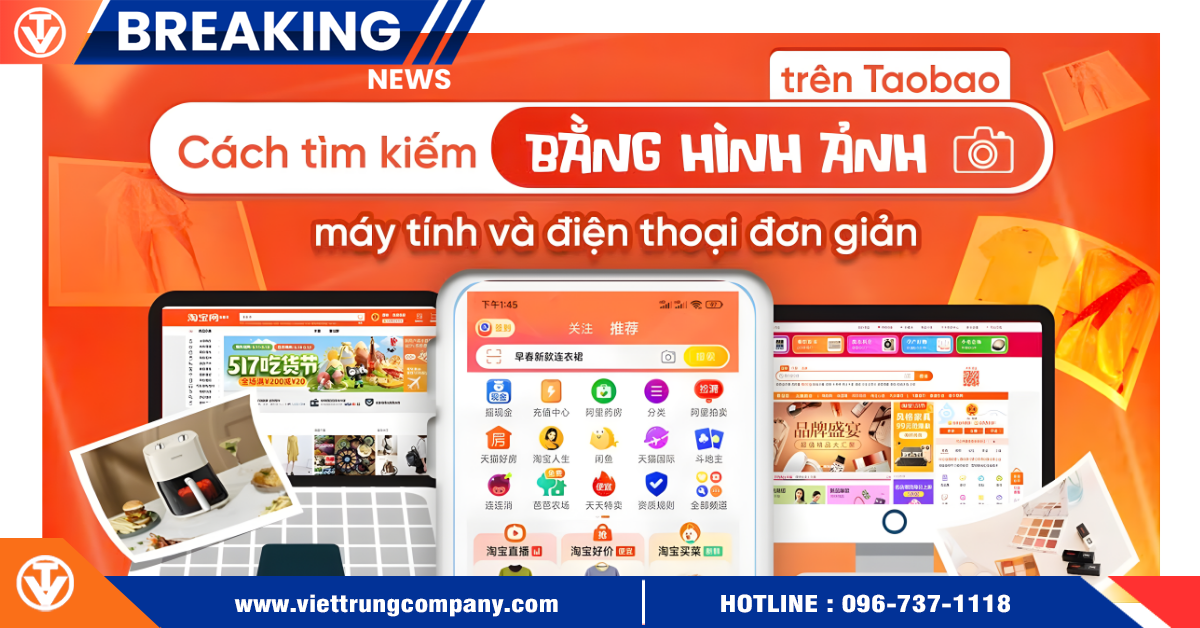
Image searching on Taobao is becoming an important tool, helping shop owners and businesses quickly look up products when they do not know the name, cannot recall the keyword, or cannot describe the item in Chinese. Using Taobao’s image search correctly allows you to quickly track down the exact model, the right factory, and the original price in just a few seconds, which is highly suitable for merchants in fashion, accessories, decor items, or household goods.
How to Search Taobao by Image on Desktop
Step 1: Access Taobao and select the camera icon
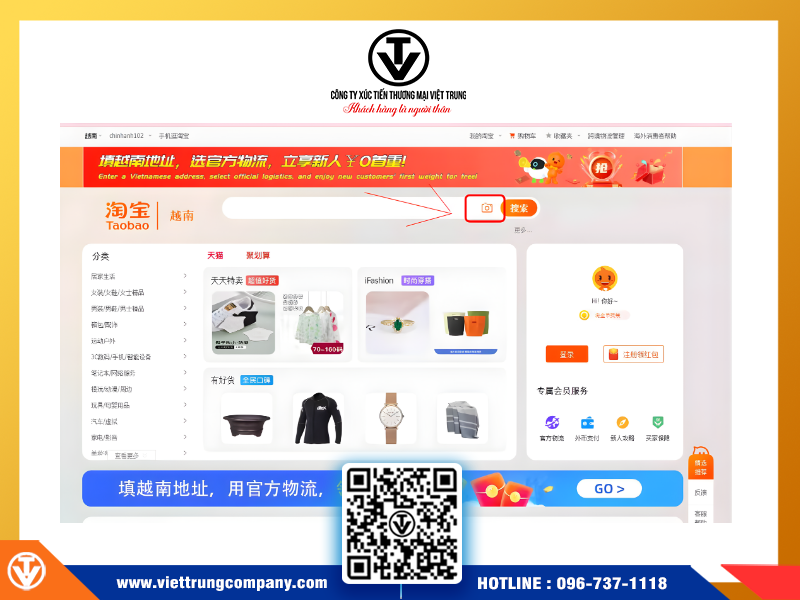
Access Taobao and select the camera icon
When you access Taobao.com using the Chrome or Cốc Cốc browser, log into your account and click the camera icon “搜同款” (Search for Similar Items) next to the search bar. This is the first step in using Taobao image search on a desktop device.
Step 2: Upload the product image you need to search for
After clicking the camera icon, select 上传图片 (Upload Image) to open the image folder on your computer.
Simply select the image you saved beforehand—which could be a photo from TikTok, Instagram, a picture taken at a store, or an image sent by a customer—then click “Open.”
Taobao will automatically upload the image to the system and prepare for data analysis.
Step 3: Confirm search and view results
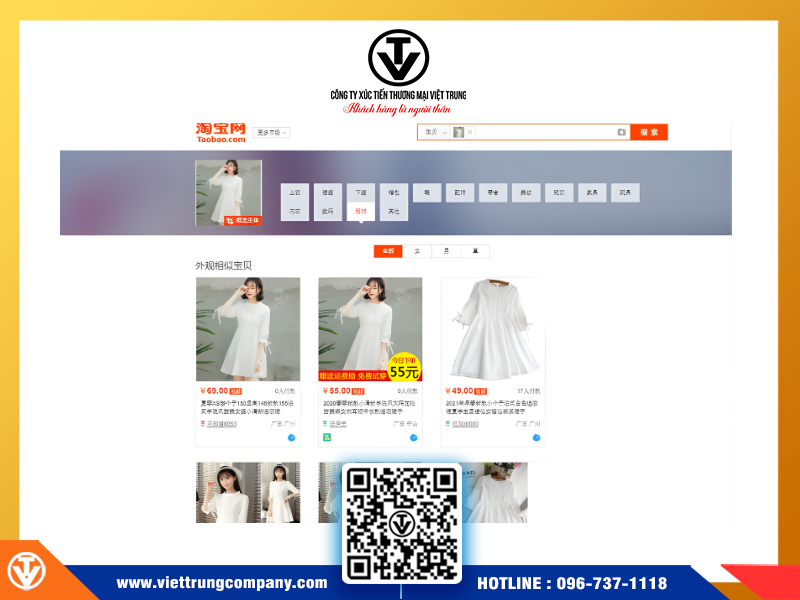
Confirm search and view results
Click the 搜索 (Search) button to start the search.
In just a few seconds, Taobao will display:
- Products that are similar or identical to the image you uploaded
- Various shops selling similar models
- Price points for easy comparison
- Sales volume, shop ratings, and detailed information
This is why Taobao image search is favored—it helps you find the right source of goods without needing to know Chinese.
How to Search Taobao by Image on Mobile
Step 1: Open the Taobao app
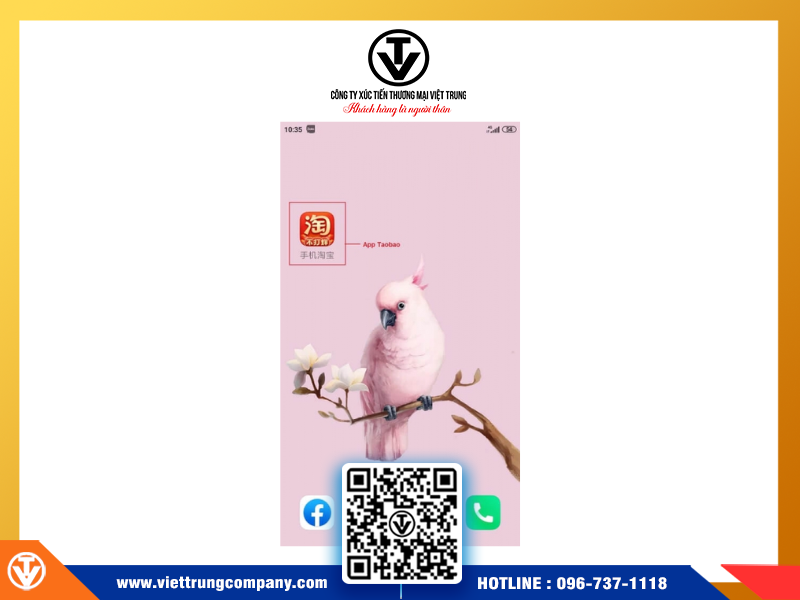
Open the Taobao app
After logging into your account, the main interface will display the familiar search bar at the top.
Step 2: Tap the camera icon
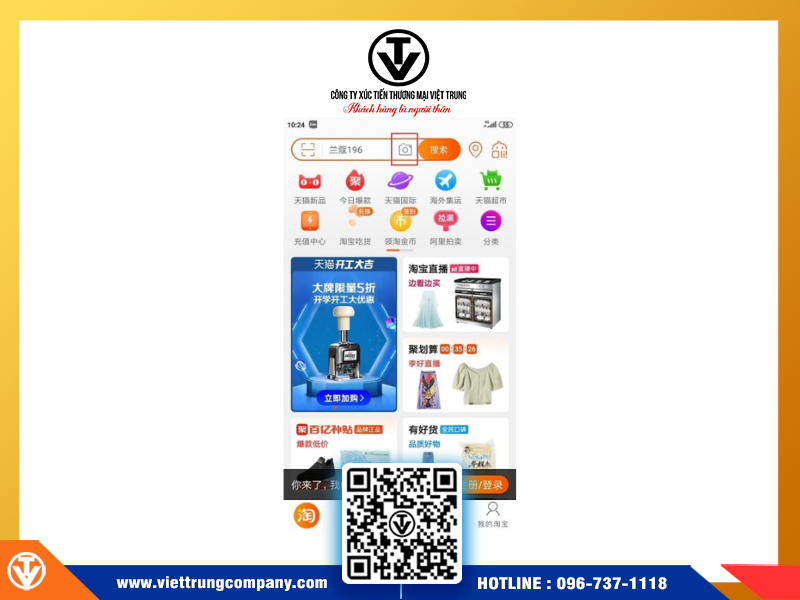
Tap the camera icon
This camera feature allows you to:
- Upload existing photos
- Take a picture of the product directly
- Use screenshots
The recognition feature on the app is often faster and more flexible than on the desktop.
Step 3: Select the image and view suggested results
Immediately after uploading the image, Taobao will automatically display a list of the most relevant products.
You can:
- Compare prices
- View the ratings of each shop
- Filter by region, material, color, and price range
This method is especially useful when you are at a wholesale market, showroom, or viewing a customer’s sample and want to quickly determine the original price.
Effective Tips for Product Sourcing on Taobao Using Images
Although Taobao image search is very convenient, its accuracy depends on the image quality. Here are some tips to help you find the correct product:
Prioritize clear, high-resolution images
Good image quality is the most crucial factor. Taobao identifies products based on small details, so choose high-resolution photos (720p or higher) that are not blurry, pixelated, or poorly lit. The clearer the image, the more accurate the results will be.
Select images with a single product and minimal background details
Avoid using photos with too many objects or an overly complex background. The Taobao system recognizes products better when a single item stands out against a simple background.
If the original photo has too many unnecessary details, you can crop the background before uploading to prevent the system from misunderstanding and finding the wrong product.
Upload multiple different angles for comparison
Having multiple angles of a product (front view, detailed shots, material texture, packaging box, etc.) will help the Taobao algorithm analyze more precisely.
Searching with multiple images also helps expand the list of suggested stores, making it easier for you to determine which are reputable factories and which are resellers.
Combine image search with descriptive keywords
If the results returned by the image are too few, you can copy the product name (the Chinese name suggested by Taobao) and paste it into the search bar to expand the results.
This method is especially effective when you want to find many similar models or compare prices among different suppliers.
Viet Trung Company – Your Solution for Official, Safe, and Cost-Efficient Taobao Sourcing
After understanding how to search Taobao by image, the next step is to find a reliable sourcing company to optimize costs and minimize risks in payment, shipping, and customs clearance. Viet Trung Company provides end-to-end support:
Viet Trung Company supports the entire Taobao import process from A–Z:
- Searching for products via image or Vietnamese keywords
- Checking supplier credibility, evaluating factories, and comparing prices
- Placing orders, proxy payment, and fast order processing
- Official/Formal import shipping to Vietnam, complete with invoices and documentation
- Commitment to transparent costs and continuous shipment updates
Contact Information:
VIET TRUNG TRADE PROMOTION COMPANY
Vietnam Office
- Hanoi Office: 189 Quan Hoa Street, Nghia Do Ward, Hanoi
- Da Nang Office: 2nd Floor, Savico Building, 66 Vo Van Tan Street, Thanh Khe Ward, Da Nang City
- Ho Chi Minh City Office: 264-264A Nguyen Thai Binh, Bay Hien Ward, Ho Chi Minh City
China Office
- Warehouse 17/2, Da Sha Tou, Guangzhou, China
- Jia Yuan Hotel, 405 YanJiang Dong Road, Guangzhou, China
Warehouse System At:
- Guangzhou – Foshan – Dongxing – Pingxiang – Zhejiang – Chongqing – Beijing – Shanghai
Contact Phone Numbers:
- Northern Region: 0965551166
- Central Region: 0935131816
- Southern Region: 0935086838
- China: 0086 13710964989
- Complaint: 0977 96 96 66

Với hơn 15 năm kinh nghiệm.Việt Trung Company tự hào là đơn vị nhập & vận chuyển hàng Trung Quốc chính ngạch TRỌN GÓI, NHANH CHÓNG, MINH BẠCH. Quý khách chỉ cần cung cấp nhu cầu (loại hàng, số lượng, ngân sách), phần còn lại chúng tôi sẽ xử lý A–Z từ: tìm nguồn hàng/xưởng uy tín, so sánh giá, chốt đơn, thanh toán an toàn, kiểm tra hàng, đóng gói và vận chuyển về Việt Nam, giao tận nơi. Giấy tờ và thuế phí hợp pháp để Quý vị an tâm kinh doanh.